Follow Me, I have goth music.
Navidrome
If you're a hipster/band-wagoner like me, you will, of course, want to virtue signal by supporting music artists more directly by purchasing physical copies of their records. But you don't want to give up that sweet, extra juicy convenience that capitalism has served up to us by offering to let us listen to it anywhere, anytime, on any of the 15 devices of screens that you are addicted to.
Steps in Navidrome! An open source(more virtue points) music hosting platform that has most of the features that Spotify has. You can share songs with friends, make playlists, favorite songs, and download songs for offline playback. It also supports many different music players. There are some really great looking options.
I am better than you, so I already have a server that I can install apps like Navidrome on. If you want to get caught up, then here is a brief overview of my setup, which should let you use some google-foo (or AI slop) to get up to speed.
My Server Setup
For hardware, I have a second-hand server, with lots of SSD slots and way too much RAM(not really needed). I am running Unraid, which is the OS running on it(think Windows, but for servers and not filled with Microsoft bloat or costs). On Unraid, I am running NGINX Proxy Manager
- Hardware - an old retired business server with a lot of SDD slots for file storage.
- Unraid - This is the OS I am running. Think Windows, but not bloated, overpriced garbage.
- NPM (NGINX Proxy Manager) - This service receives traffic from the internet and routes it to the different applications I am running on the server, along with managing the certificates. Plus, it has a shiny GUI, so I don't have to muck about in a terminal window.
- Cloudflare - Really an amazing service, so much so that over half the internet goes down when it breaks. This handles making sure that when you type sambarnes.me into your browser, it actually goes. Unless I break something.
Alright, enough of my rambling, let's do this thang.
Setting up the Navidrome Container
First, jump into your Unraid interface, go to Apps, and search for Navidrome. There will likely be only one result, and that's what we will use. Click on install.
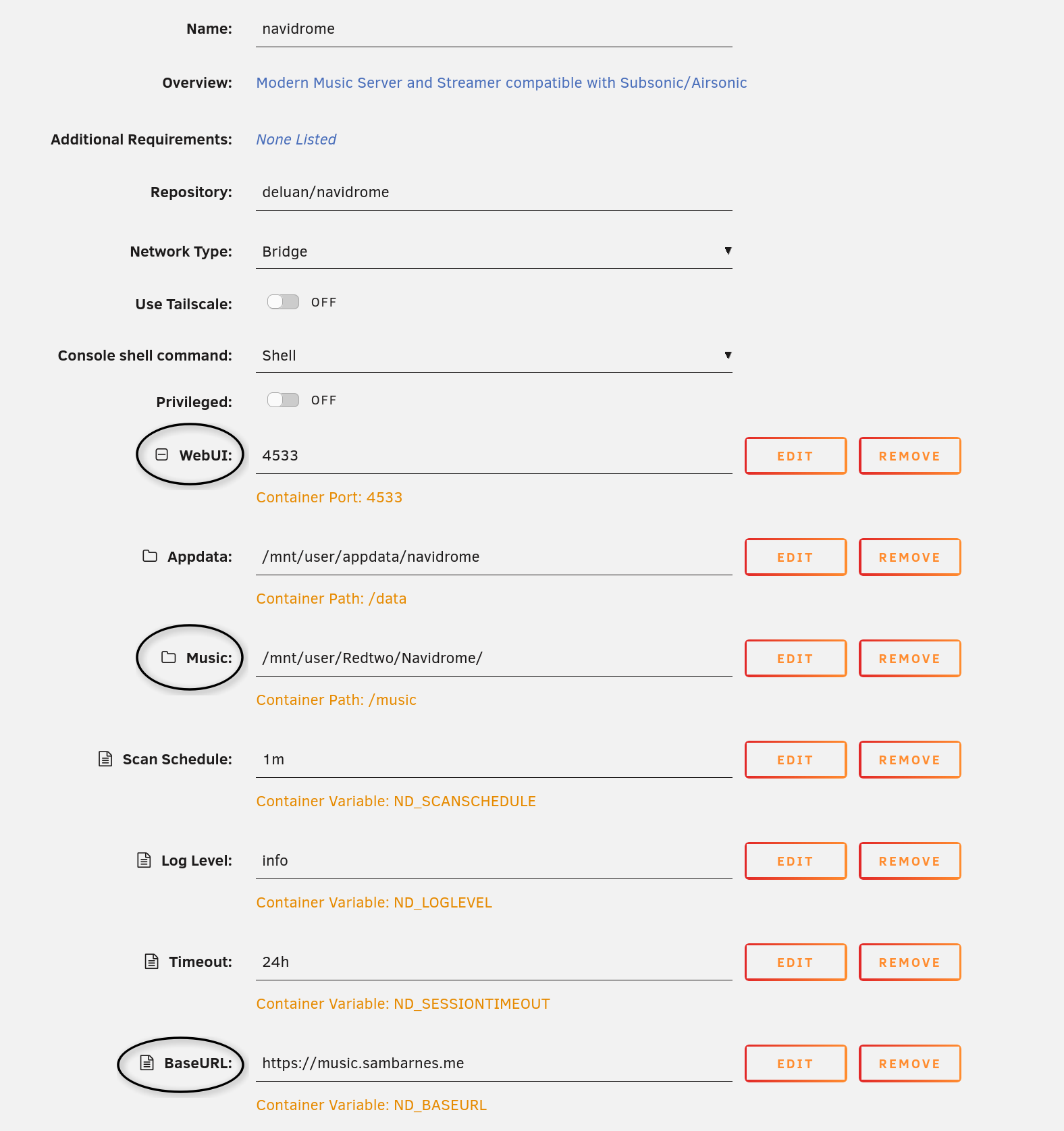
On the container setup screen, we only care about a couple of things.
- WebUI - Change this if you already have a container using that port. Otherwise, the default of 4533 is perfect
- Music - This is the path on Unraid where your music will be stored. I pointed this at a folder I created on a share I created in Unraid to make it easy to upload music to the library.
- BaseURL
- This can be left blank if you don't intend to use a custom domain and just want to access your music on your local network.
- I recommend using a subdomain, like navidrome.yourdomain.com.
- It will want you to include the HTTPS:// in the URL you enter.
- All others can be left as default, or customized to your liking.
Navidrome Admin Account
Now you can set up your admin user by either clicking on the container name and selecting webUI or by going to your browser and typing in the URL, something like 192.168.1.4:4533. It will walk you through creating the user and password. Don't forget to right it down, stupid head.
Cloudflare Setup
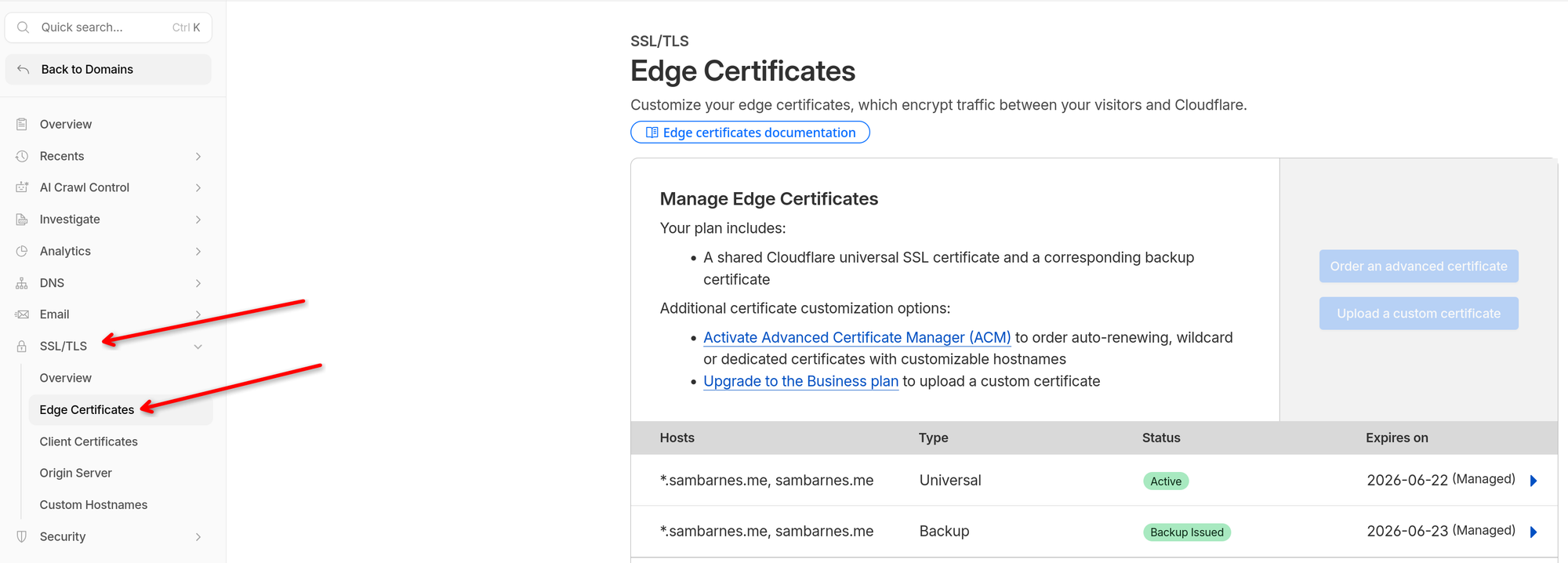
I will be using Cloudflare paired with NPM to handle the certificate and proxy connection. In my situation, I already set up an edge certificate with Cloudflare and imported it to NPM. It was pretty simple: log into Cloudflare, go to your domain, SSL/TLS, Edge Certificates, and there was an option to auto-create one. Save it somewhere so that you can import it to NPM later. Here is what it looks like currently.
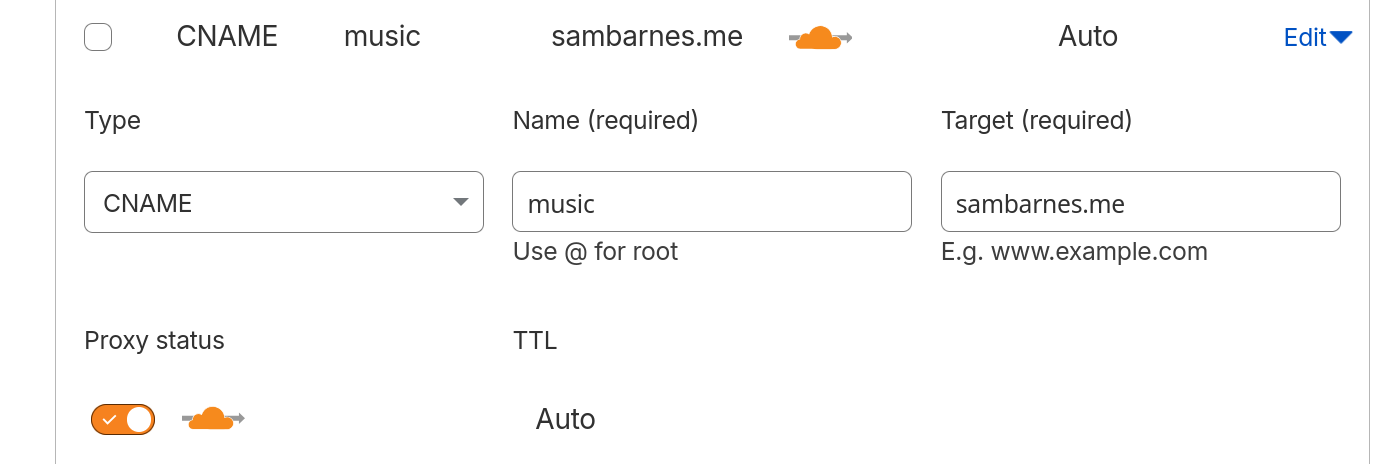
Next, go to Cloudflare and create a new CNAME record for your subdomain and point it to your main domain. In the following example, we will use navidrome.sambarnes.me. So you would navigate to DNS on the Cloudflare website, then click add new record. For type select CNAME, for name enter navidrome, and for target enter sambarnes.me.
NGINX Proxy Manager Setup
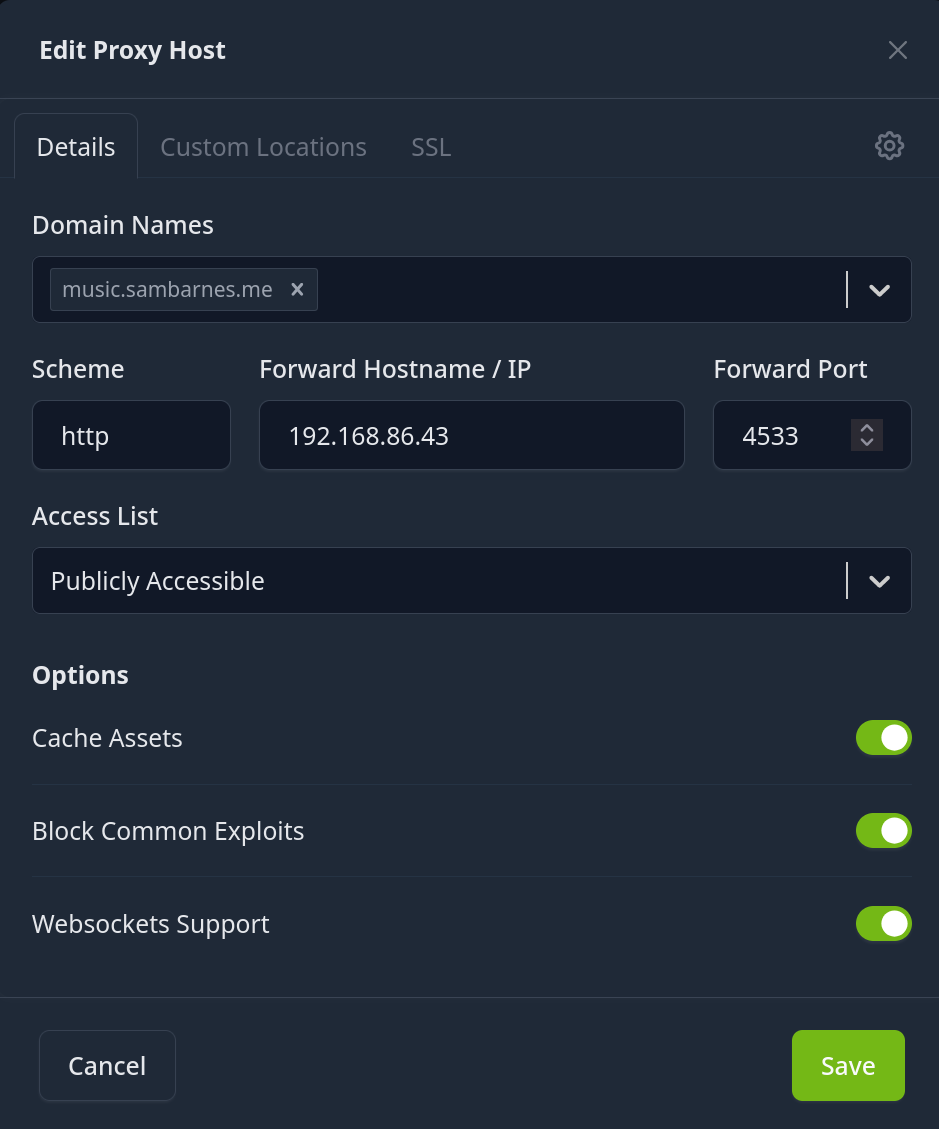
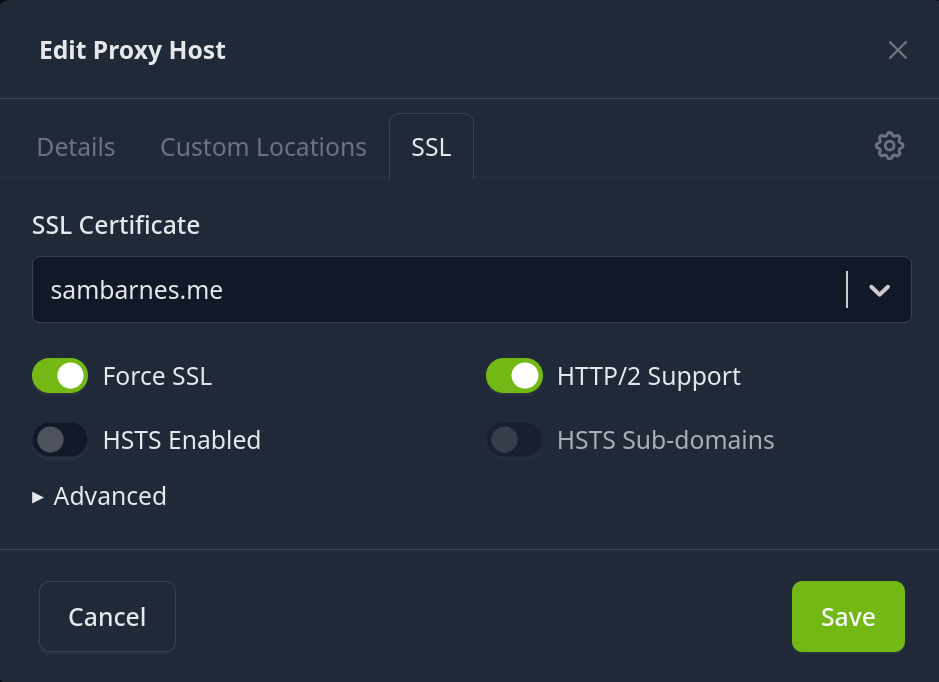
Go to NPM and add a new proxy host, enter your domain, and leave the scheme as HTTP. HTTPS is handled between NP and Cloudflare for us if you're doing that. Enter your Unraid IP and the port 4533, if you left it as the default. You can enable Cache Assets, Block Common Exploits, and Websockets Support. Then switch to the SSL tab, select your certificate from Cloudflare. Enable Force SSL and HTTP/S Support.
Port Forwarding
Now we will need to configure port forwarding on your router to open port 4533 and forward it to NPM. This will be different on every router, but the main gist is the incoming port will be 4533, and you will forward it to your Unraid local IP with the same port, enabling both TCP/UDP if it asks.
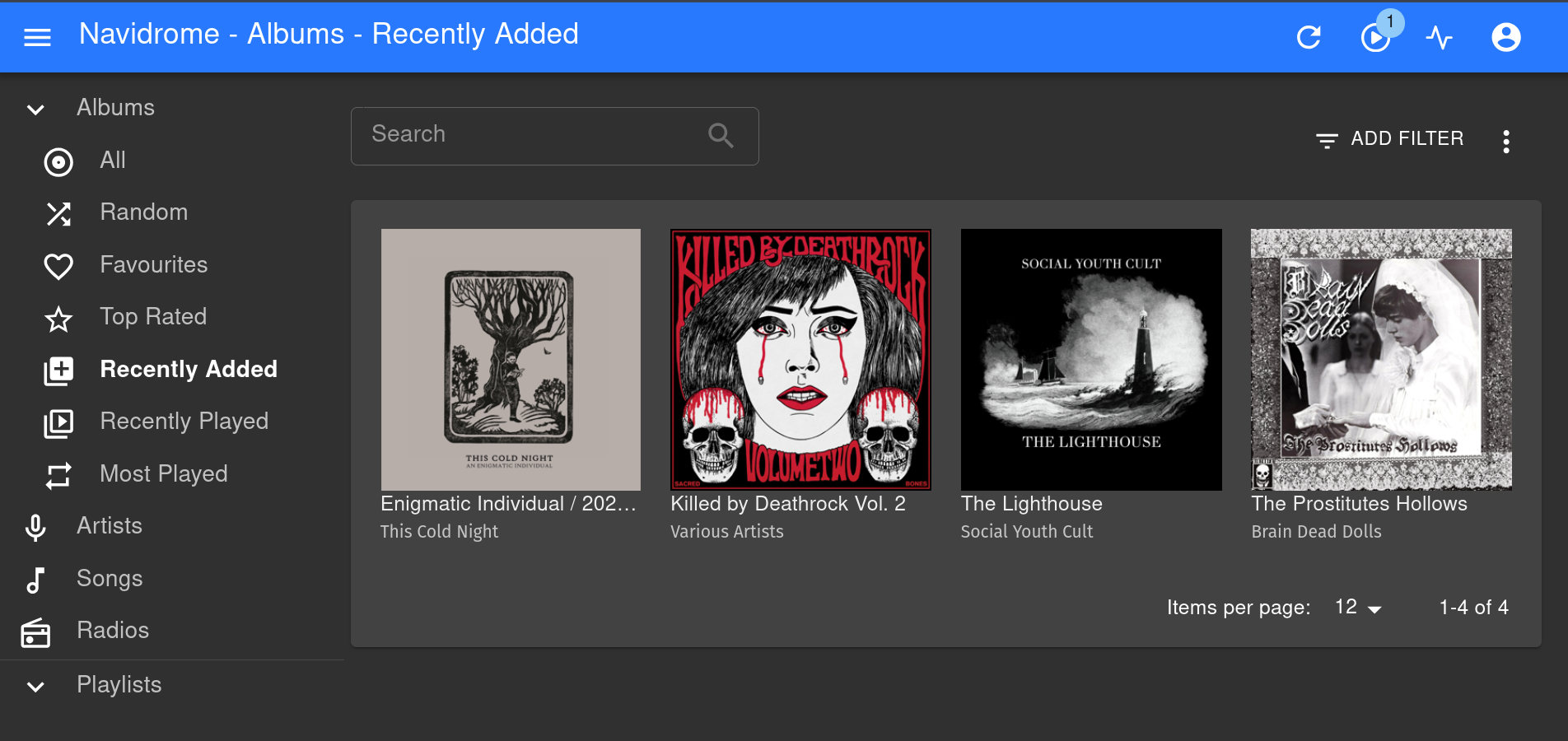
Boom, you should be up and running.
Some troubleshooting tips:
- If you can't access the Navidrome service locally by going to your UnraidIP:3544, then go to Unraid and open a terminal. Type in "docker log navidrome" without the quotes. The logs there should point you in not the wrong direction, hopefully.
- If you can't ping your subdomain, then check your Cloudflare CNAME configuration. Maybe you forgot that step entirely, like me.
- If you can ping your subdomain and can access Navidrome locally, but not via the subdomain, check the NPM configuration and port forwarding.
- If you can ping your subdomain, can access Navidrome locally and via your subdomain, then why are you reading this...